Self-Hosted
On self-hosted installations you bring your own Slack app. You create the app in your Slack workspace, and provide its credentials to ScaleOps via Helm values.
Installation
1. Create the Slack App
Go to Slack Apps , choose From a manifest, select your workspace, and paste the following manifest:
display_information:
  name: ScaleOps Agent
  description: ScaleOps AI agent for Kubernetes
features:
  bot_user:
    display_name: ScaleOps Agent
    always_online: true
  slash_commands:
    - command: /scaleops
      description: ScaleOps assistant commands
      usage_hint: "auth | help"
      url: https://<DASHBOARD_HOST>/api/v1/slack/commands
  unfurl_domains:
    - <DASHBOARD_HOST>
  rich_previews:
    is_active: true
    entity_types:
    - slack#/entities/item
    - slack#/entities/content_item
oauth_config:
  scopes:
    bot:
      - commands
      - app_mentions:read
      - channels:history
      - chat:write
      - groups:history
      - im:history
      - im:read
      - im:write
      - mpim:history
      - reactions:write
      - users:read
      - users:read.email
      - links:read
      - links:write
settings:
  event_subscriptions:
    request_url: https://<DASHBOARD_HOST>/api/v1/slack/events
    bot_events:
      - app_mention
      - link_shared
      - message.im
      - entity_details_requested
  socket_mode_enabled: false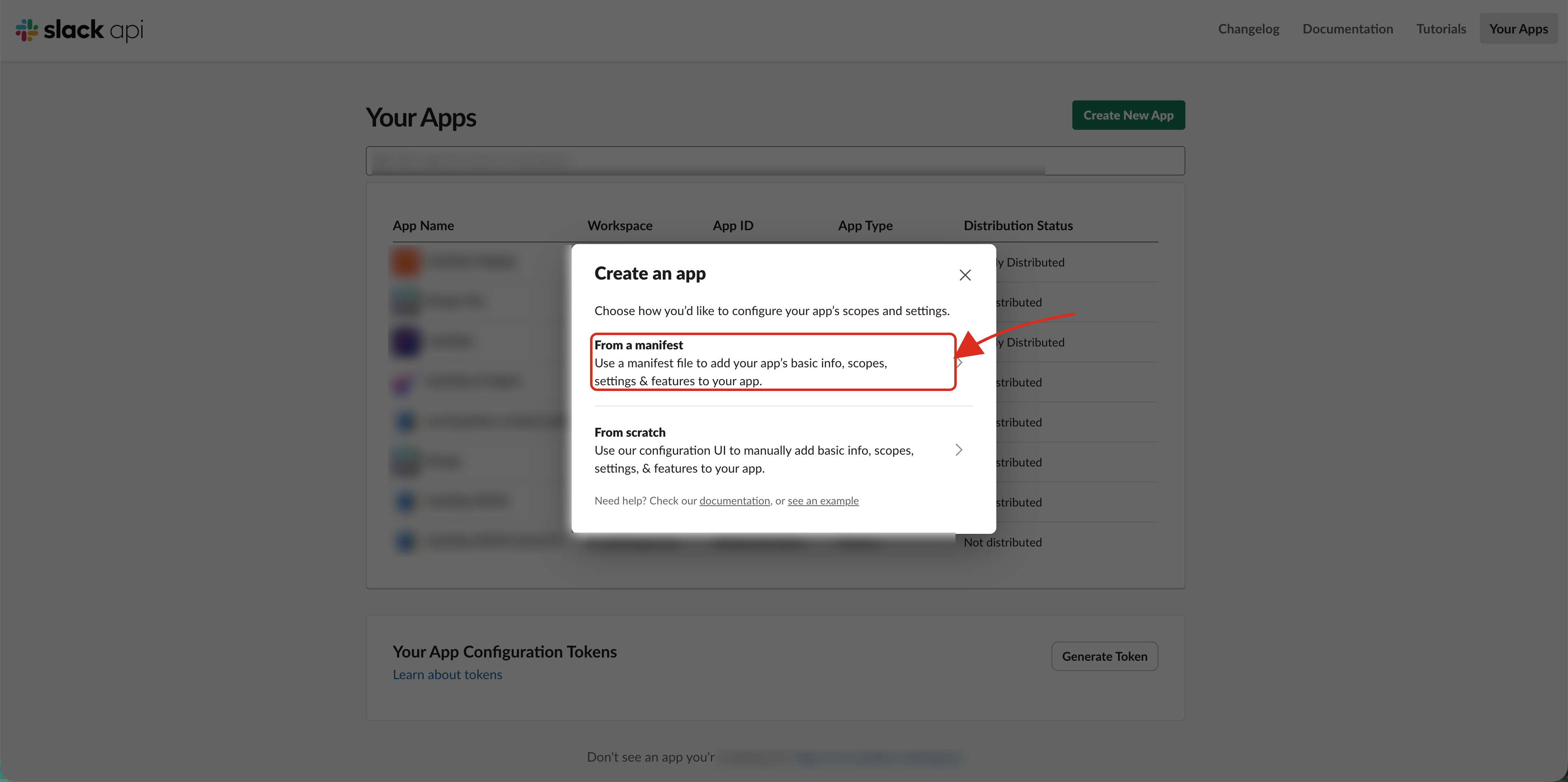
Slack verifies the request URL with a challenge request when the app is created. ScaleOps answers the challenge automatically once slackBot is configured, so if verification fails, complete the Helm configuration below first and retry the verification from the app settings.
2. Collect Credentials
-
Open Install App, click Install to Workspace, and approve. Copy the Bot User OAuth Token (
xoxb-...).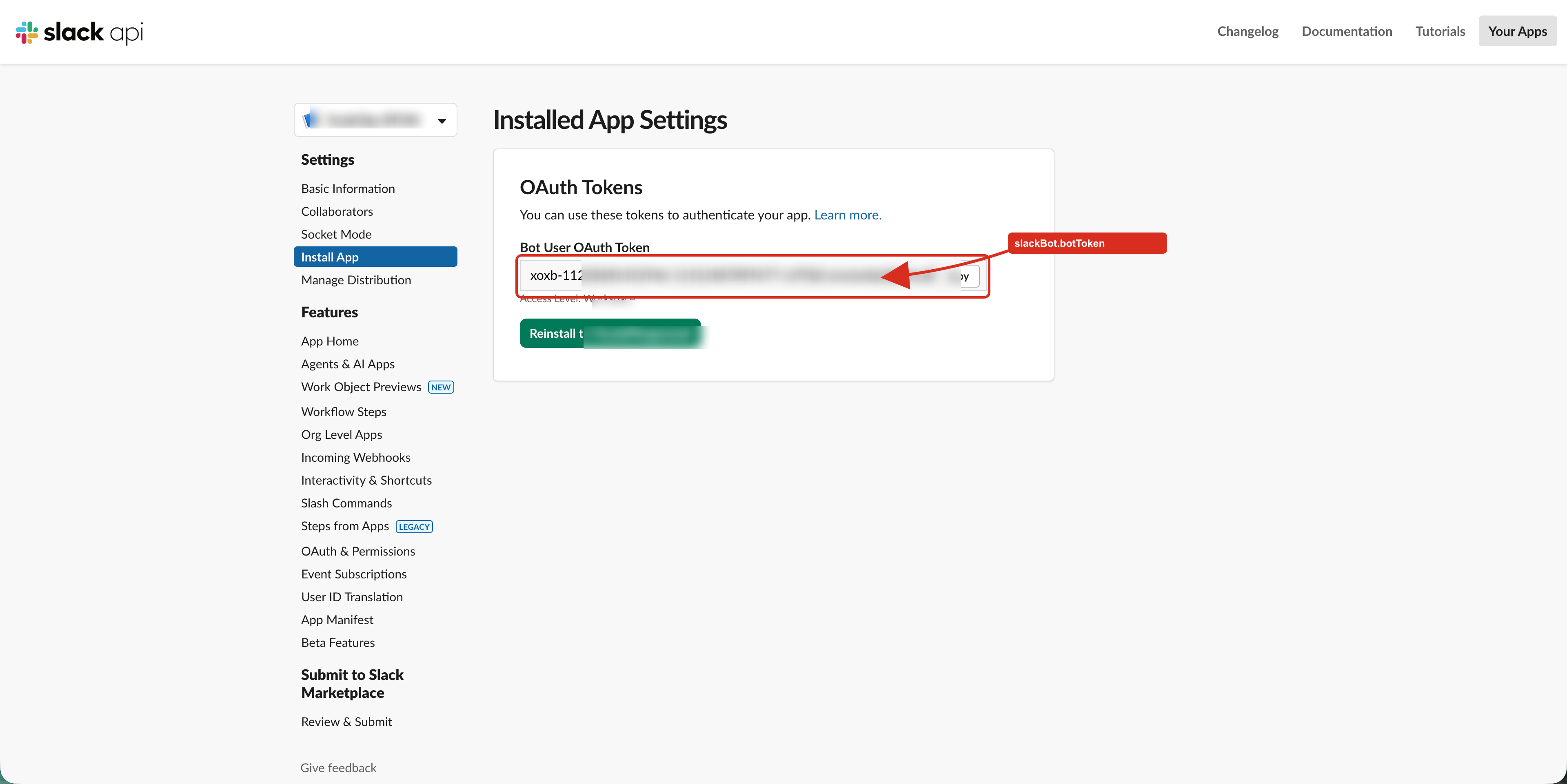
-
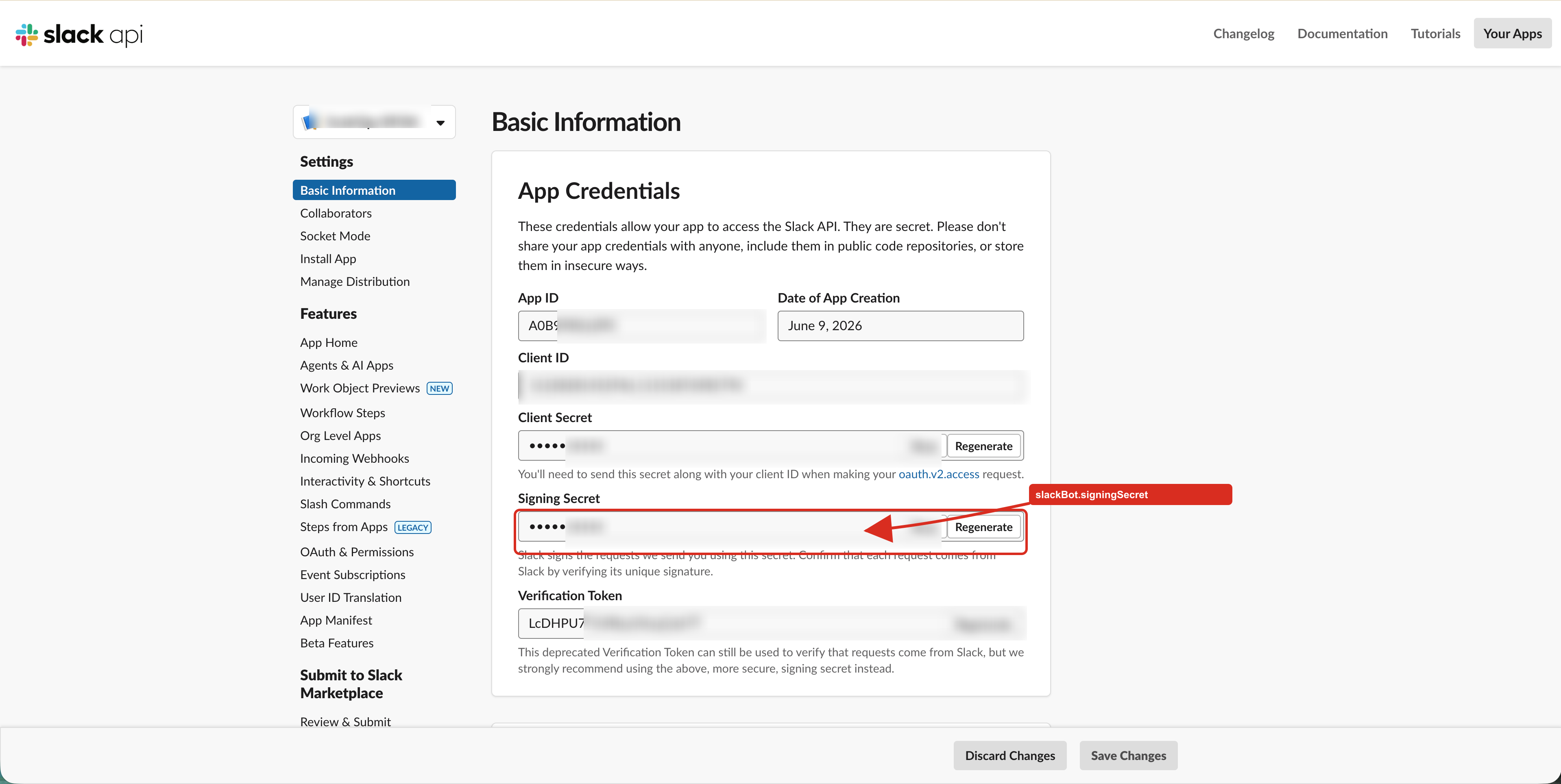
Open Basic Information → App Credentials and copy the Signing Secret. ScaleOps uses it to verify that incoming requests are genuinely from Slack.
3. Configure Helm
Add the following to your ScaleOps Helm values and upgrade the release:
slackBot:
  enabled: true
  botToken: "xoxb-..."
  signingSecret: "..."
Upgrade
1. When upgrade is required
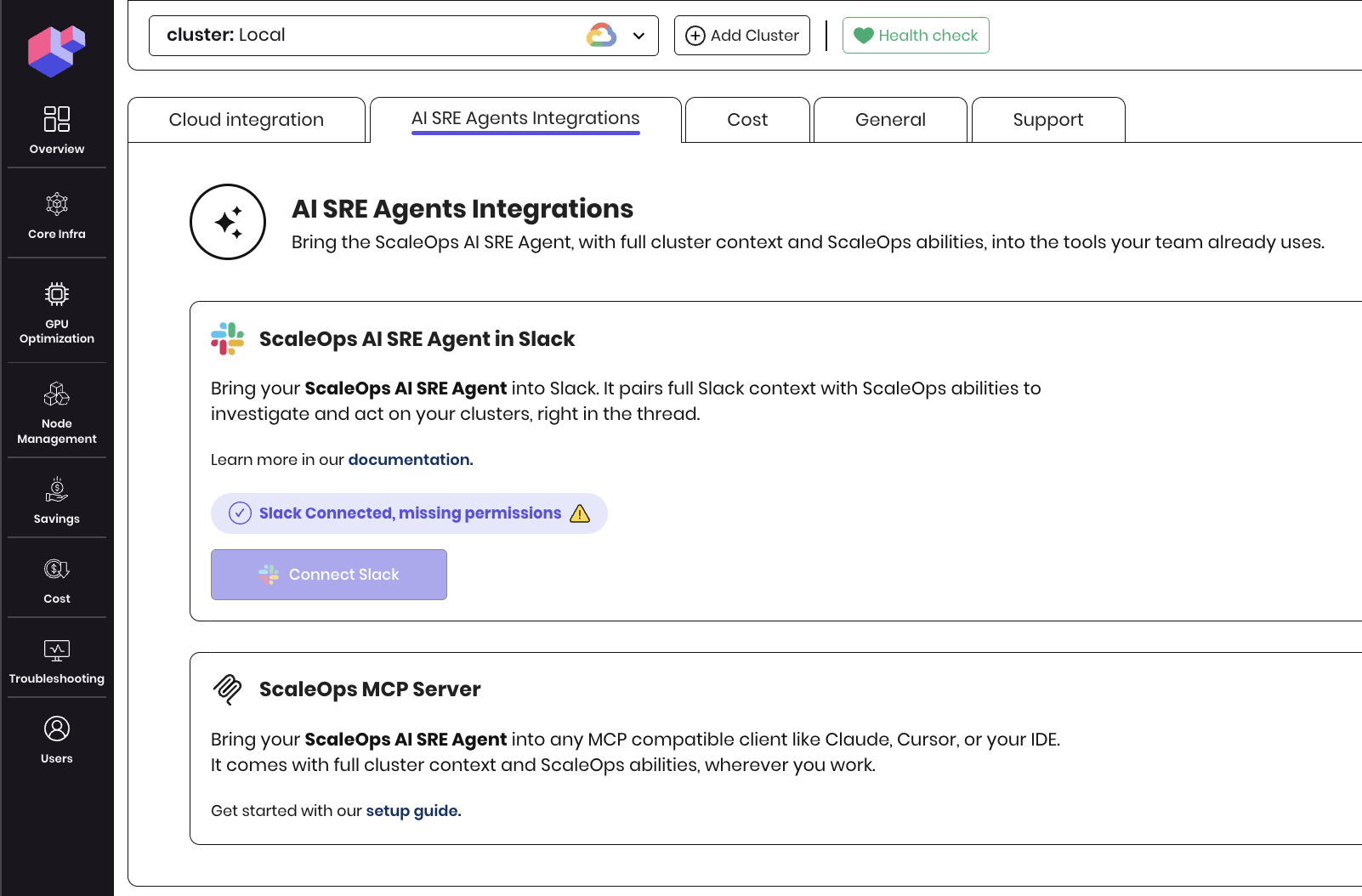
ScaleOps will notify you when a Slack App upgrade is required.
2. Update the Slack App
- Go to Slack Apps and select your existing Slack App.
- From the left menu, open App Manifest and replace the current manifest with the updated one from Step 1: Create the Slack App.
- After saving, Slack will prompt you to reinstall the app. Click on
reinstall your appand complete the installation in your workspace.

Verify the Connection
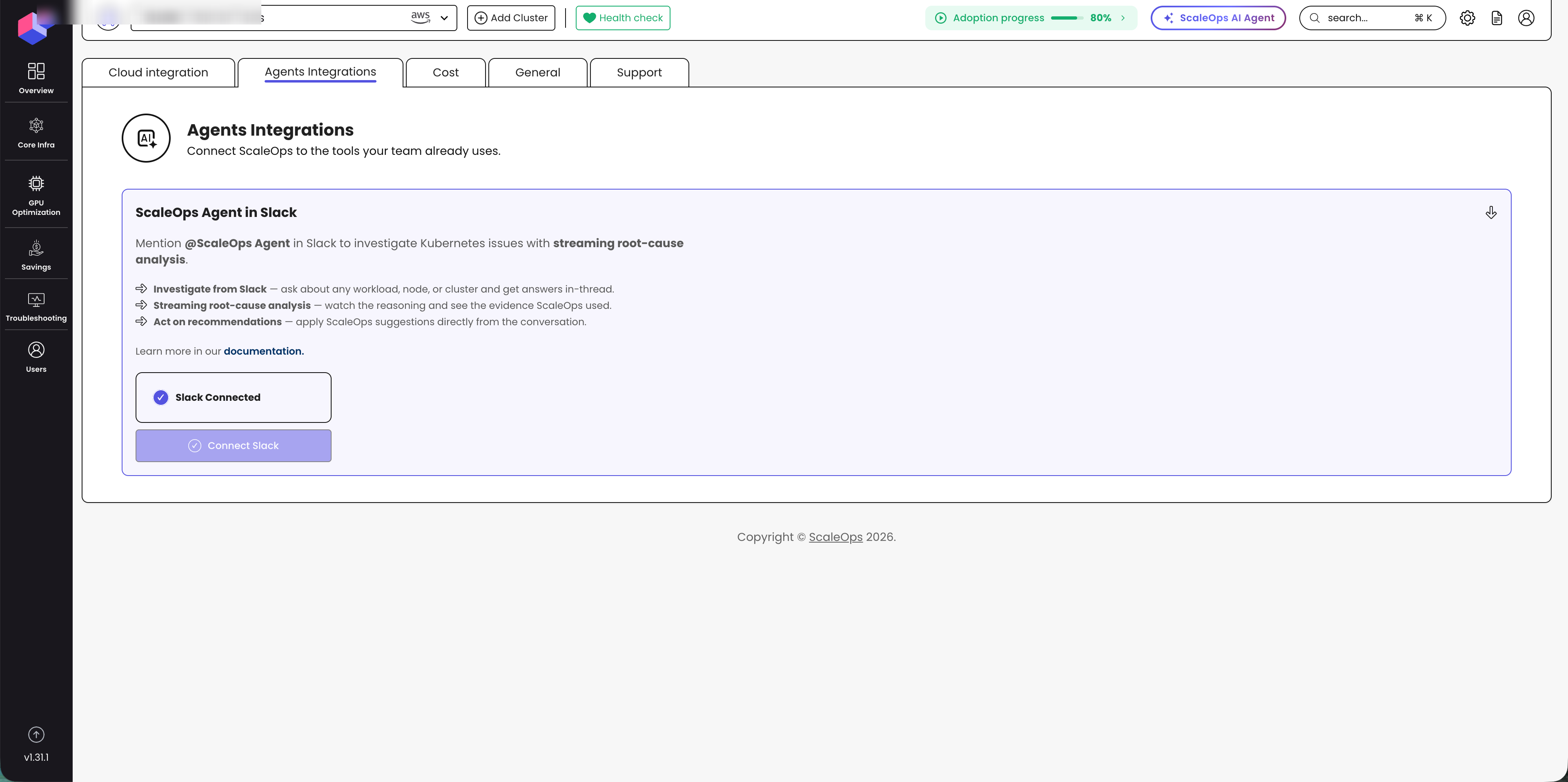
After upgrading the Helm release, open Settings → Agents Integrations in the ScaleOps dashboard and check the ScaleOps Agent in Slack section. It should show Slack Connected.
Helm Values Reference
See the full list of slackBot values in the Helm configuration reference.