Workloads
ScaleOps Replicas Optimization helps you optimize Horizontal Pod Autoscaler (HPA) workloads by analyzing historical patterns and automatically adjusting minimum replica counts and CPU scaling thresholds to improve resource utilization and reduce costs.
Optimize HPA Workloads
Explore Potential Savings
The Replicas Optimization Workloads page provides a cluster-wide view of optimization opportunities, including:
- Unoptimized min replicas — Workloads whose minimum replica count can still be optimized.
- Unoptimized CPU thresholds — Workloads whose HPA CPU threshold can still be optimized.
- Predictable workloads — Workloads identified as having predictable traffic patterns.
- Automated workloads — How many replica-optimization workloads are automated vs. un-automated.
Time-series graphs show cluster-level trends over the selected period (7 or 30 days), including CPU, memory, latency, replicas, requests per second (RPS), and scaling events.
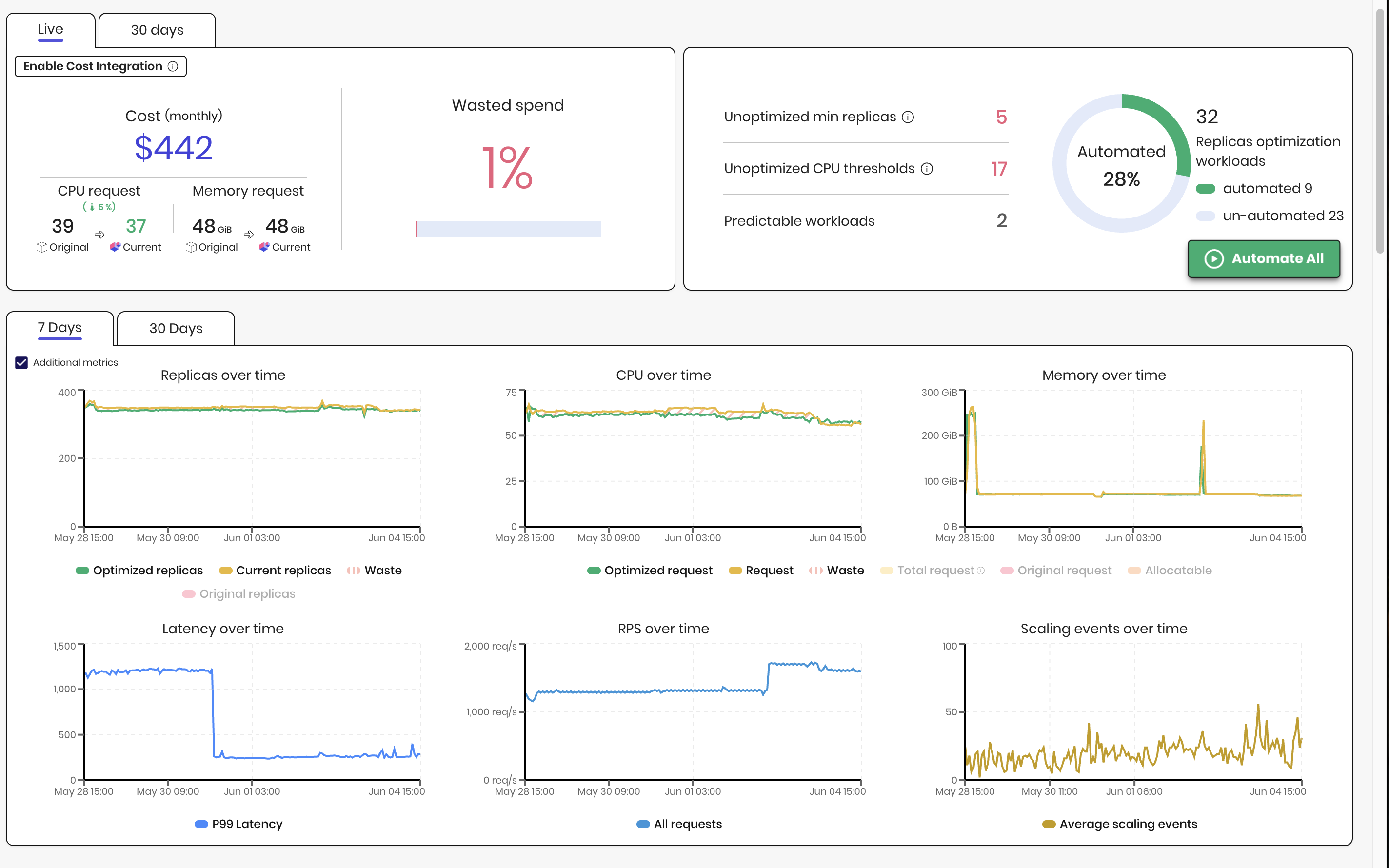
Review the workloads table to identify savings by cost and resources, as well as min-replica and CPU threshold recommendations.
Default table columns include:
- CPU Threshold Recommendation — Current and recommended CPU threshold values.
- Latency Trend — A sparkline showing recent latency behavior.
- Replica Trend — A sparkline showing recent replica count changes.
The Workload overview Replicas tab provides over-time visualization of current and optimized replicas, latency, requests, errors, and scaling events. It also surfaces active recommendations such as min replicas, CPU threshold, and prediction status.
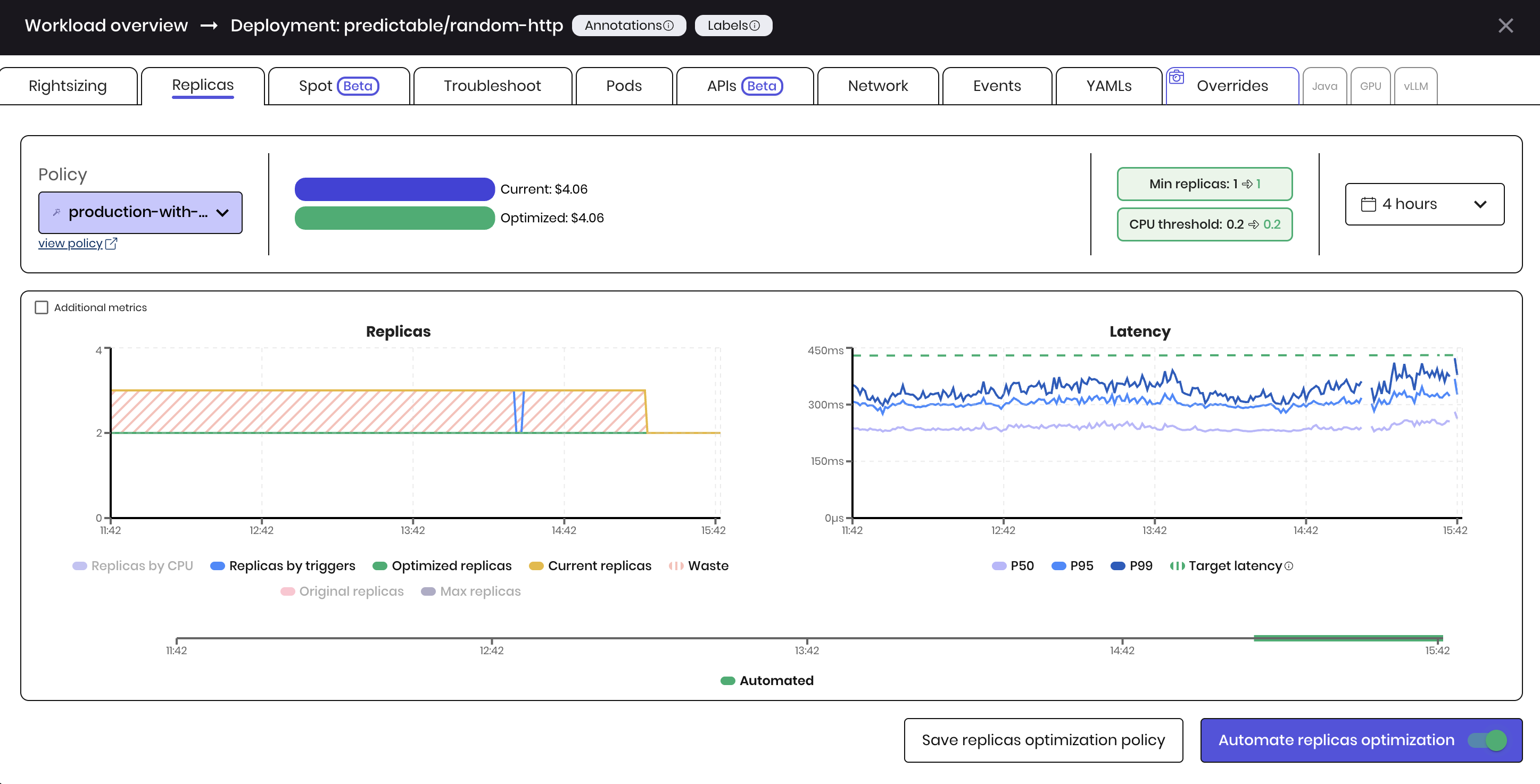
For more details on CPU threshold optimization, see Replica Threshold Optimization (beta).
Automate Workloads
To optimize workloads, click the Automate All button. The action applies to all current and future workloads.

Alternatively, automate specific workloads from the workloads table or enable Automate replicas optimization in the workload overview.

How it works
ScaleOps uses historical metric data to predict the required replicas for the workload. The prediction is used to adjust the minimum replicas for the workloads attached HPA, ensuring that the workload is running with the right number of replicas.
When Replica Threshold Optimization is enabled, ScaleOps also correlates CPU utilization with latency to recommend a higher CPU threshold that still meets SLA targets — reducing unnecessary scale-out while protecting reliability.
- For predictable workloads: ScaleOps set the min replicas based on a percentile of the historical usage data. ScaleOps predicts the peak usage and scales up the replicas ahead of the predicted peak.
- For static workloads: ScaleOps set the min replicas based on a percentile of the historical replicas data. We recommend to set the percentile to max, so the scaling decision is identical to the highest HPA original scale decision, for the configured window.
- In any case, the minimum replicas recommendation will not be higher than the original minimum replicas.
ScaleOps manage the .spec.minReplicas attribute on the HPA itself for HPA optimization. KEDA ScaledObject is also supported.
Prerequisites & Limitations
- HPA must be configured on the workload
- Only
Deployment,StatefulSetandArgo Rolloutworkload types are supported